
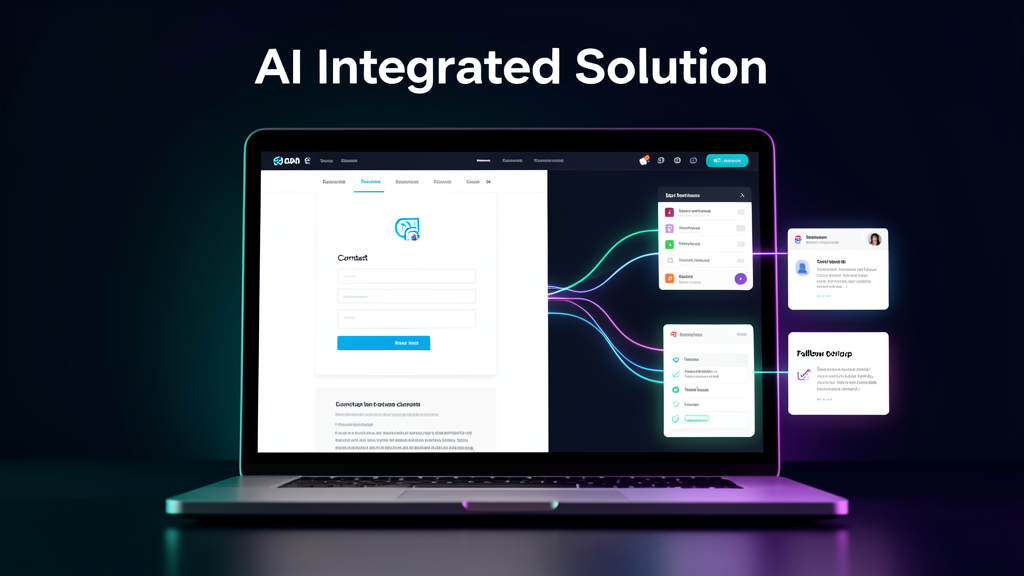
A lot of small business websites look fine at first glance. They have a logo, a few service descriptions, a phone number, and maybe a contact form.
But here is the real question: what happens after someone visits the site?
If the website does not help capture the lead, organize the inquiry, notify the business, and start follow-up, then it is mostly acting like an online business card. That is better than having no website, but it is not enough if the business wants the site to help bring in real opportunities.
For a local business, the website should be part of the sales and follow-up system.
The problem with “just having a website”
Many business owners are told they need a website, so they get one built and move on. The site may look professional, but it often has the same hidden problems:
- The contact form sends messages to an inbox that is already crowded.
- Leads are not saved anywhere organized.
- Nobody gets a clear follow-up reminder.
- The customer does not receive an automatic confirmation.
- The business cannot easily see which leads are new, contacted, booked, or lost.
- The website is disconnected from the rest of the business process.
That means the site may be online, but the business can still lose opportunities.
A better way to think about your website
Your website should not only answer, “Who are we?”
It should also answer:
- What action should the visitor take next?
- How does the business get notified?
- Where does the lead information go?
- How quickly does the customer receive a response?
- How does the team track follow-up?
- What happens if the inquiry comes in after hours?
When those questions are handled, the website becomes more than a digital brochure. It becomes the front door to an organized lead system.
What a practical website lead system can include
A strong small business website does not need to be complicated. A practical setup can include:
- Clear call-to-action buttons — such as “Request a Quote,” “Book a Consultation,” or “Get Started.”
- Simple lead form — collecting the important details without overwhelming the customer.
- Lead storage — saving every inquiry into a Google Sheet or lightweight CRM.
- Instant notification — alerting the business owner or team when a new lead comes in.
- Automatic confirmation email — letting the customer know their request was received.
- Follow-up status tracking — marking leads as new, contacted, scheduled, won, or lost.
- Optional booking or review workflows — depending on the type of business.
This kind of setup helps the business respond faster and stay organized without jumping straight into expensive software.
Example: from website visitor to organized lead
Here is a simple example workflow:
- A customer visits a local service business website.
- They click “Request a Quote.”
- The form collects their name, phone number, email, service needed, and message.
- The lead is automatically added to a Google Sheet.
- The owner receives an email notification.
- The customer receives a confirmation email.
- The lead is marked as “New” until someone follows up.
That is a much stronger process than hoping someone notices a form submission buried in email.
Why this matters for businesses with no website
Some local businesses still rely mostly on Facebook pages, referrals, texts, or word of mouth. That can work for a while, but it can also make the business harder to trust and harder to find.
A starter website can give the business:
- A professional place to send customers
- A clear list of services
- A quote or contact form
- Better local credibility
- A system for capturing and tracking new inquiries
The goal is not just to “get online.” The goal is to create a simple digital foundation that can grow with the business.
Why this matters for businesses that already have a website
Even if a business already has a website, it may still need improvement if the site is not connected to follow-up.
Signs the website needs a better lead system include:
- The business gets form submissions but does not track them clearly.
- The owner manually copies lead information into another tool.
- Customers ask, “Did you get my message?”
- Leads come from multiple places and get scattered.
- There is no automatic response after someone fills out a form.
- The site looks nice but does not help the team stay organized.
A website refresh does not always need to mean starting over. Sometimes the best upgrade is connecting the existing site to a cleaner lead capture and follow-up workflow.
Automation makes the website more useful
Automation is what connects the website to the business process.
Instead of relying on memory, manual copying, or checking multiple inboxes, automation can make sure each inquiry goes where it needs to go.
That might mean:
- Website form to Google Sheets
- Website form to email notification
- Website form to CRM
- Website form to automatic customer reply
- Website form to booking follow-up
- Website form to task or status tracking
The website becomes the starting point. Automation handles the repetitive steps behind the scenes.
How AI Integrated Solution can help
AI Integrated Solution helps small businesses build practical websites and lead systems that work together.
That can include:
- A starter website for a business with no website
- A website refresh for a business with an outdated site
- Contact or quote form setup
- Google Sheets CRM setup
- Lead notifications
- Automatic customer confirmation emails
- Simple follow-up tracking
- Ongoing automation improvements
The focus is not on selling complicated technology. The focus is helping small businesses stop losing leads, respond faster, and look more professional online.
Ready to turn your website into a lead system?
If your website is only acting like an online business card, it may be time to connect it to a better process.
AI Integrated Solution can help you build a website and follow-up system that captures inquiries, organizes leads, and helps your business respond faster.