
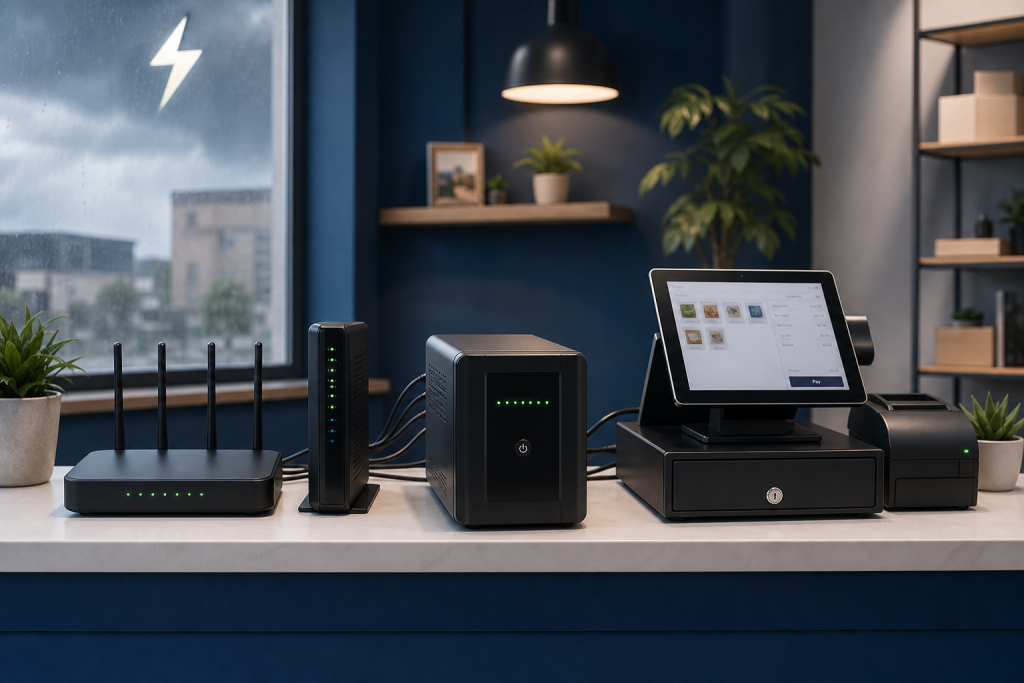
A short power outage can create a bigger business problem than most owners expect. Your computer shuts down, the Wi-Fi drops, your payment device disconnects, and the customer waiting at the counter or online may not come back. A UPS battery backup for small business is a simple way to protect the equipment that keeps your daily work moving.
A UPS, short for uninterruptible power supply, is not the same thing as a large portable power station. A portable power station is useful for longer backup power needs. A UPS is designed to react instantly when power cuts out so your computer, router, modem, or small office equipment can stay on long enough for you to save work, finish a transaction, or shut down safely.
Affiliate disclosure: As an Amazon Associate, AI Integrated Solution may earn from qualifying purchases. Some product links in this article may be affiliate links. If you buy through those links, we may earn a commission at no extra cost to you. Recommendations should still be based on your business needs, equipment, and budget.
Why a UPS matters for a small business
Many small businesses rely on simple technology systems: a website contact form, a Google Sheets CRM, email follow-up, payment processing, scheduling tools, and Wi-Fi. When power flickers, those systems can be interrupted even if the outage only lasts a few seconds.
A UPS helps reduce that risk by giving your key equipment temporary battery power and surge protection. For a small office, shop, studio, or home-based business, that can mean fewer lost leads, fewer corrupted files, and less downtime during a busy day.
What equipment should go on a UPS?
You do not need to plug every device into battery backup. Focus on the equipment that keeps communication, sales, and admin work online.
- Wi-Fi router and modem: keeps internet access running during short outages.
- Main work computer: gives you time to save work and shut down safely.
- Network switch or small business server: protects shared files and connected devices.
- Point-of-sale equipment: helps avoid interrupted checkout or payment issues.
- VoIP phone base or communication device: keeps business calls available when internet service still works.
Printers, heaters, coffee machines, and other high-power devices usually should not be plugged into the battery side of a UPS. They can overload the unit and drain the battery quickly.
UPS vs. portable power station
A UPS and a portable power station both help with backup power, but they solve different problems.
- Choose a UPS when you need instant backup for computers, routers, modems, and network gear.
- Choose a portable power station when you need longer runtime for multiple devices during a longer outage or off-site work.
- Use both if your business needs instant protection and longer backup power options.
If you want the longer-runtime side of the conversation, we also covered portable power stations for small business backup power.
What to look for in a UPS battery backup
1. Enough wattage for your actual devices
Do not choose only by the size of your computer’s power supply. Look at the actual load of the devices you plan to connect. A router and modem may use far less power than a desktop computer, while a workstation with multiple monitors may need more capacity.
2. Runtime that matches your goal
Most small businesses do not need hours of runtime from a UPS. Many only need 5 to 20 minutes so they can save work, finish a payment, keep internet online through a short outage, or shut systems down properly.
3. Automatic voltage regulation
Automatic voltage regulation, often called AVR, helps smooth out minor power dips and spikes without switching to battery every time. This is useful in areas with flickering lights or unstable power.
4. Pure sine wave output for sensitive equipment
Some modern computers and sensitive electronics work better with pure sine wave UPS units. They can cost more, but they are often a better fit for workstations, network equipment, and devices with active power factor correction power supplies.
5. USB monitoring and safe shutdown
Some UPS models connect to a computer or server by USB. This can allow automatic shutdown if the battery runs low. That matters if your business uses a small server, NAS, or always-on workstation.
If you want to compare options, you can research UPS battery backup systems for small business on Amazon. Look for the right wattage, runtime, outlet layout, replacement battery support, and whether your equipment needs pure sine wave output.
Common UPS product categories
For most small businesses, UPS options usually fall into a few practical categories:
- Basic desktop UPS: good for a modem, router, and single low-power workstation.
- 1500VA office UPS: a common choice for a desktop computer, monitor, router, and modem.
- Pure sine wave UPS: better for sensitive computers, network gear, and professional equipment.
- Rackmount UPS: better for a network closet, server rack, or more advanced business setup.
Well-known UPS brands include APC, CyberPower, Eaton, and Tripp Lite. The right choice depends on your equipment, runtime needs, outlet layout, replacement battery availability, and budget.
A simple UPS setup checklist
- List the devices that must stay online.
- Add up the approximate wattage of those devices.
- Choose a UPS with enough capacity and some headroom.
- Plug only critical devices into the battery backup outlets.
- Use surge-only outlets for noncritical accessories if available.
- Test the UPS after setup so you know what stays online.
- Replace the battery when the manufacturer recommends it or when runtime drops.
How this connects to automation
Automation is not only about software. It also depends on reliable systems. If your business uses contact forms, lead alerts, follow-up emails, Google Sheets tracking, or appointment reminders, your internet and core devices need to stay stable enough for those systems to work.
A UPS will not replace a full disaster recovery plan, but it can protect the small pieces of technology that keep your business responsive. It is one of the simplest upgrades a small business can make before adding more advanced automation.
If you are building a lead follow-up system, start with the basics: a reliable website, a working form, a simple lead tracker, and dependable equipment. From there, automation becomes much easier to trust.
Need help organizing your lead capture, follow-up, or Google Sheets workflow? Contact AI Integrated Solution to plan a practical automation setup for your business.